Connect a web address you already own
Takes about 5 minutes
Step by step
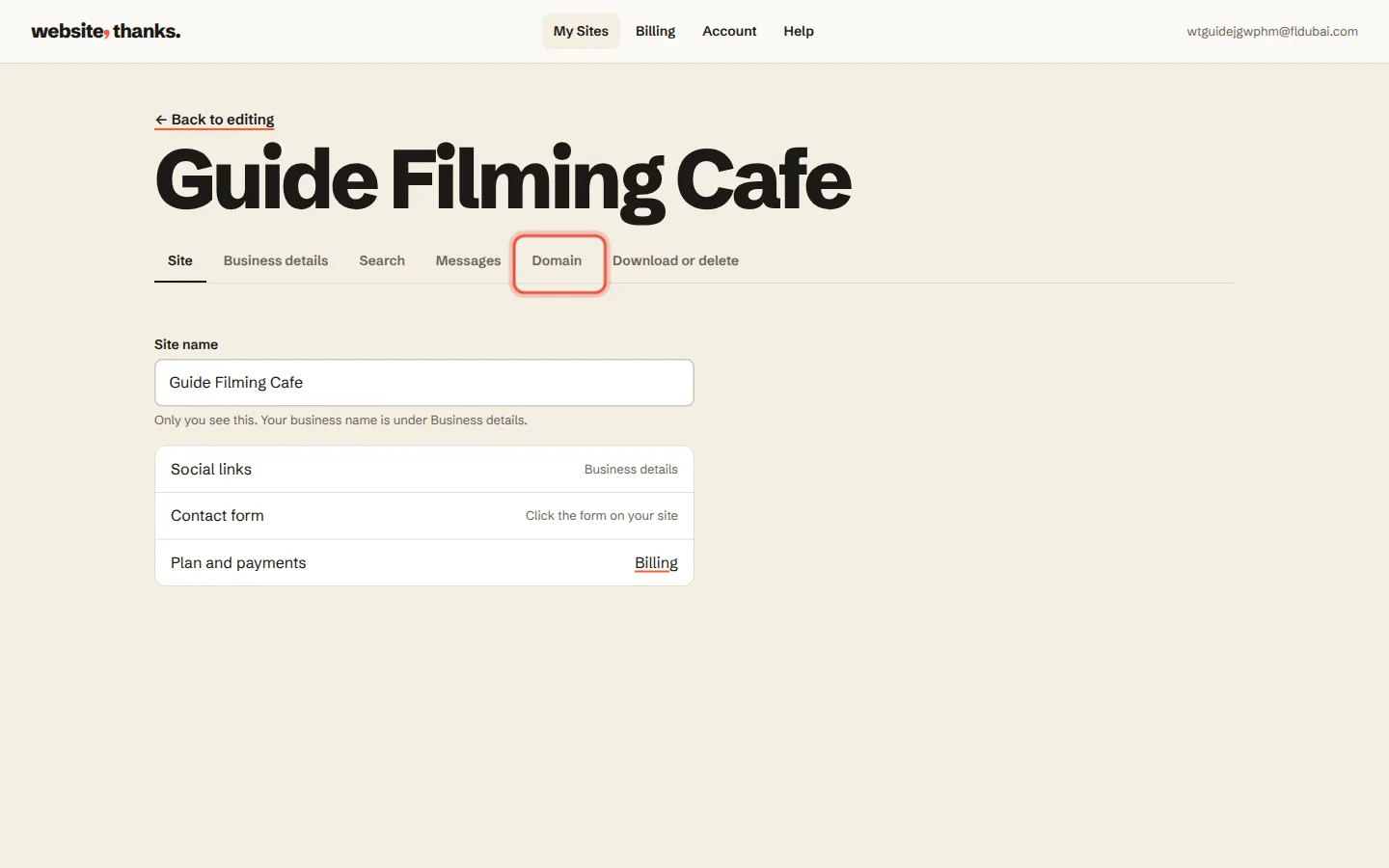
Go to My Sites, click Settings on your website, then Domain.
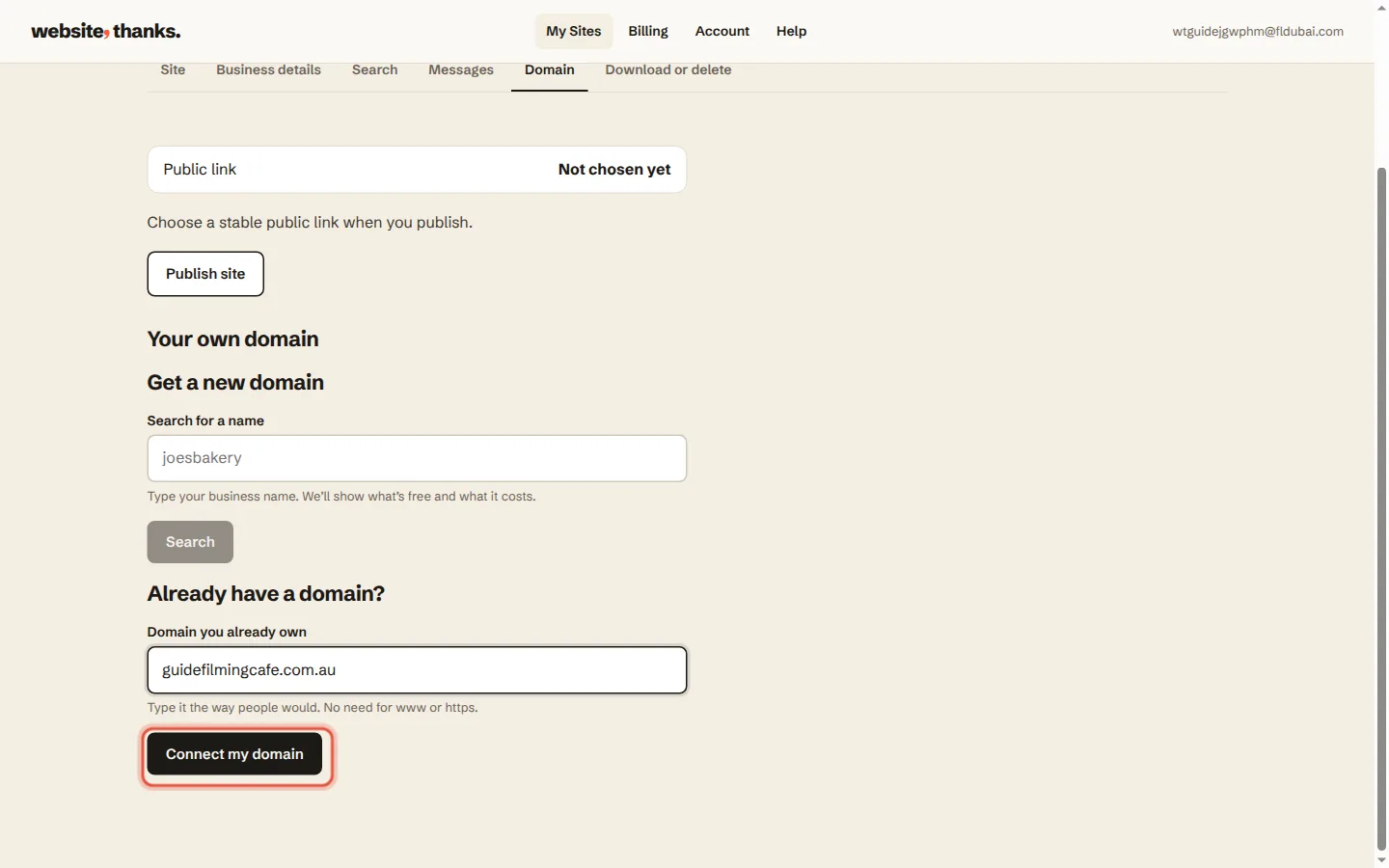
Under Domain you already own, type your web address and click Connect my domain.
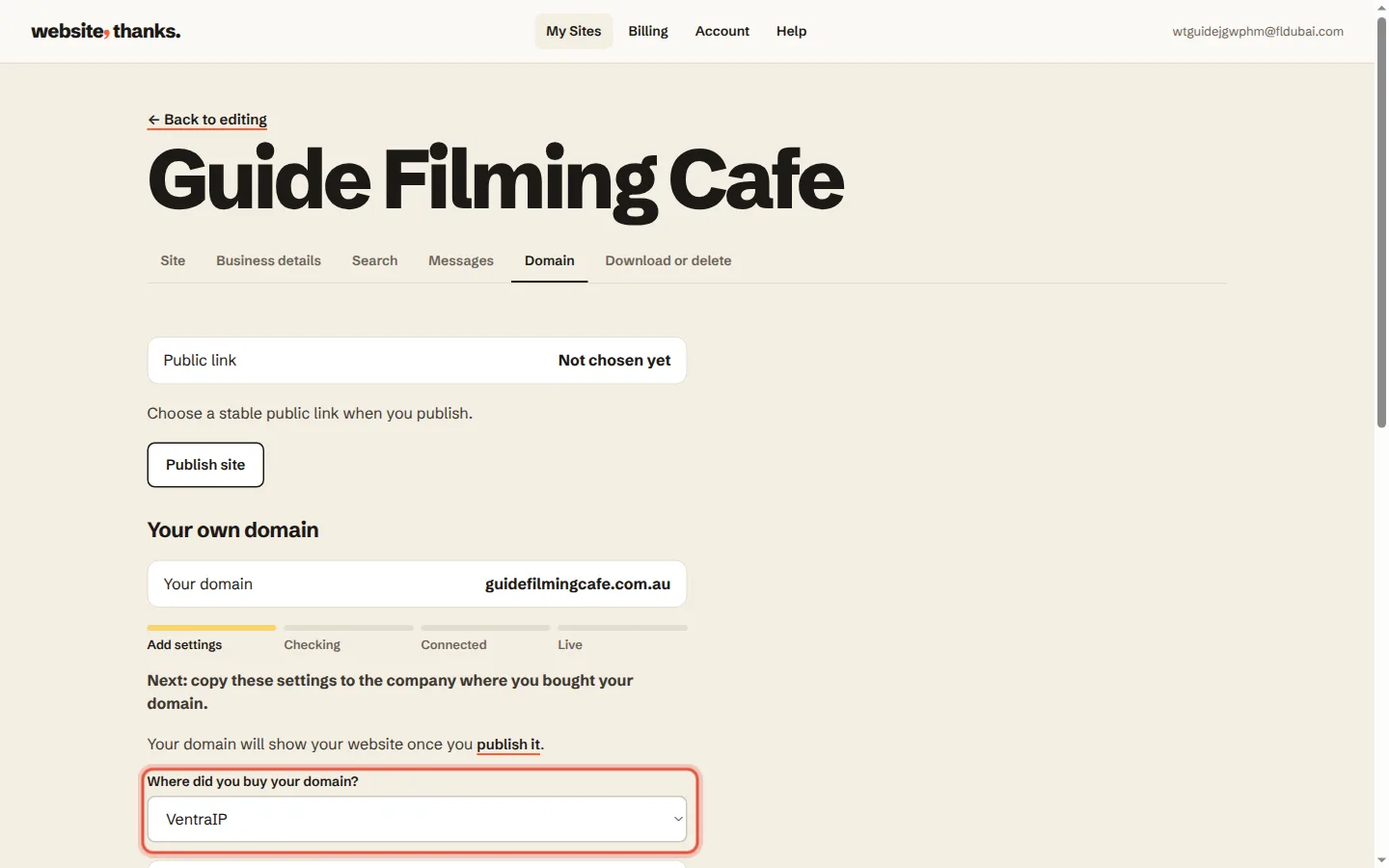
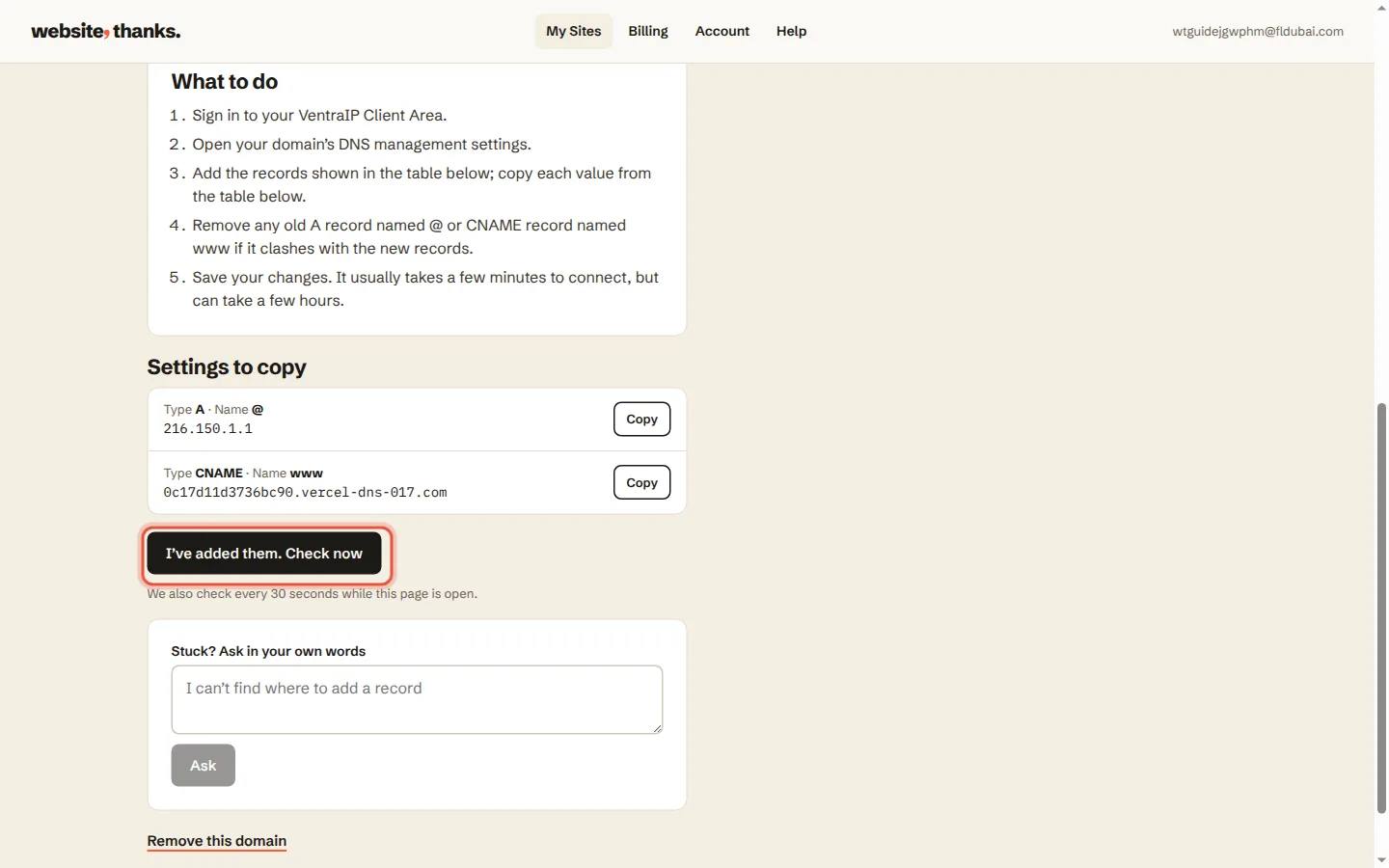
Pick where you bought it, like GoDaddy, VentraIP or Crazy Domains. We show the settings to copy and simple steps for that company.
Sign in there and add the settings exactly as shown. Don’t change or delete any MX records, because those run your email.
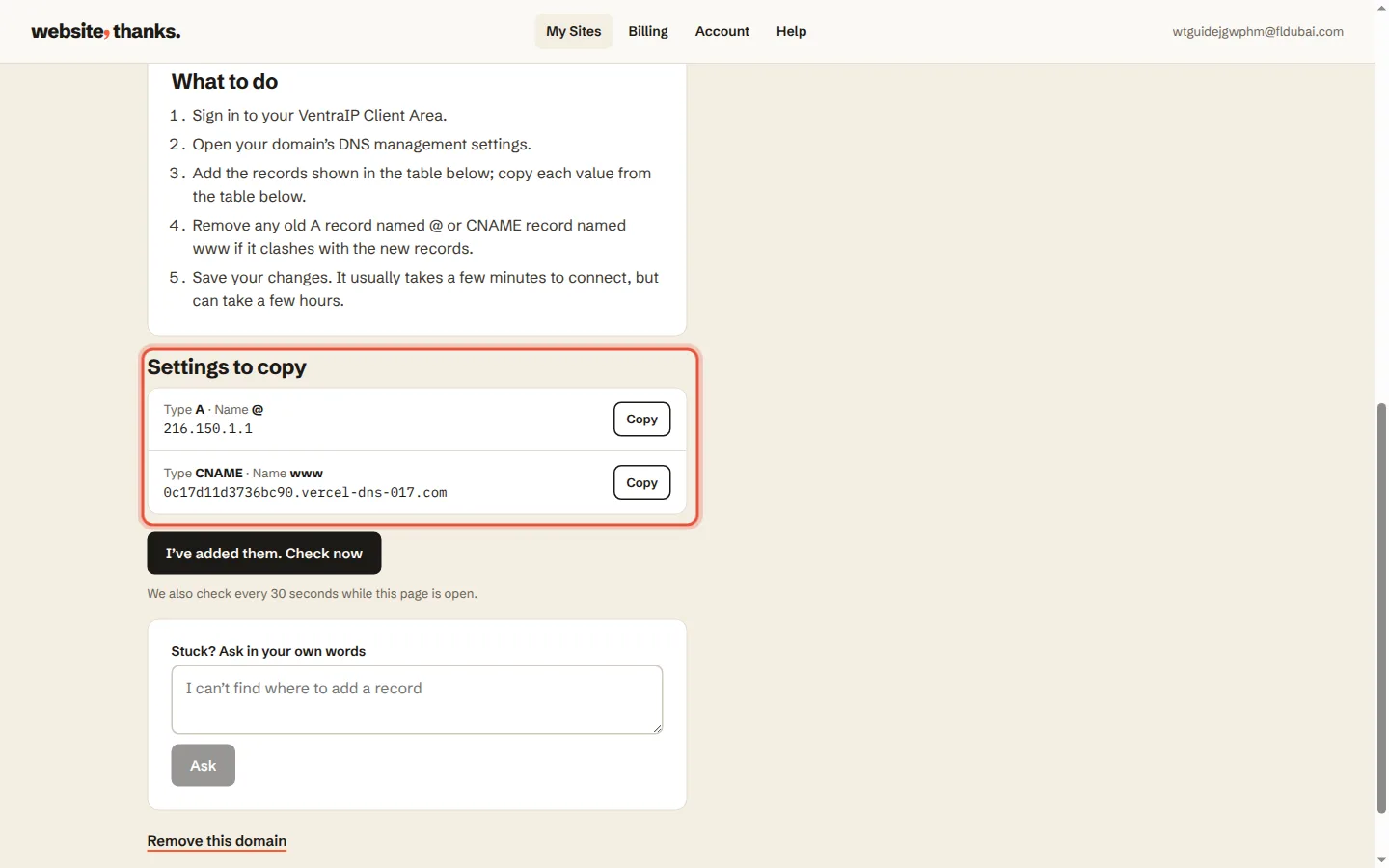
Come back and click I’ve added them. Check now. When it says Your domain is live, you’re done.
Was this helpful?