Change your phone number, email, address or opening hours
Takes about 1 minute
Step by step
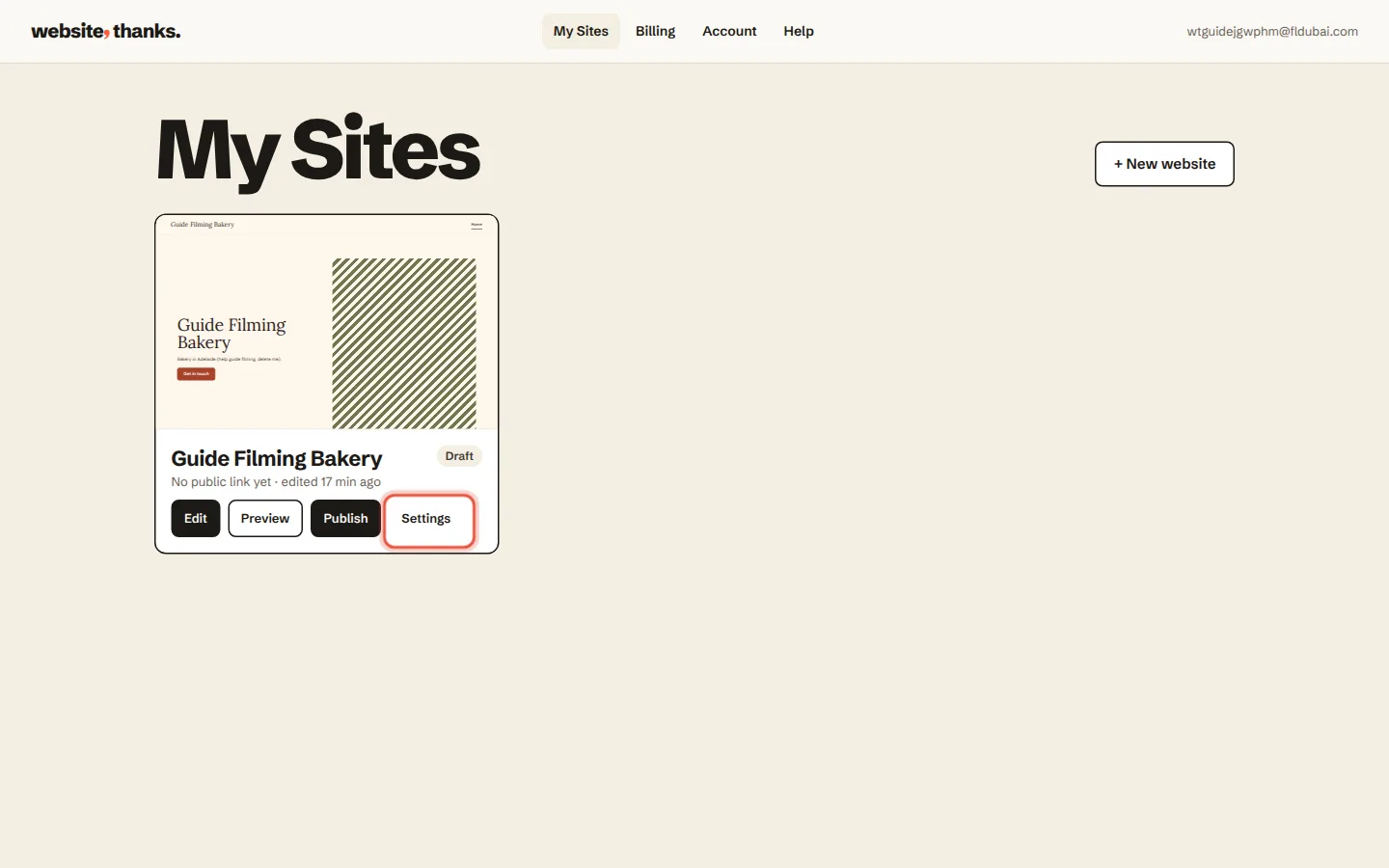
Go to My Sites and click Settings on your website.
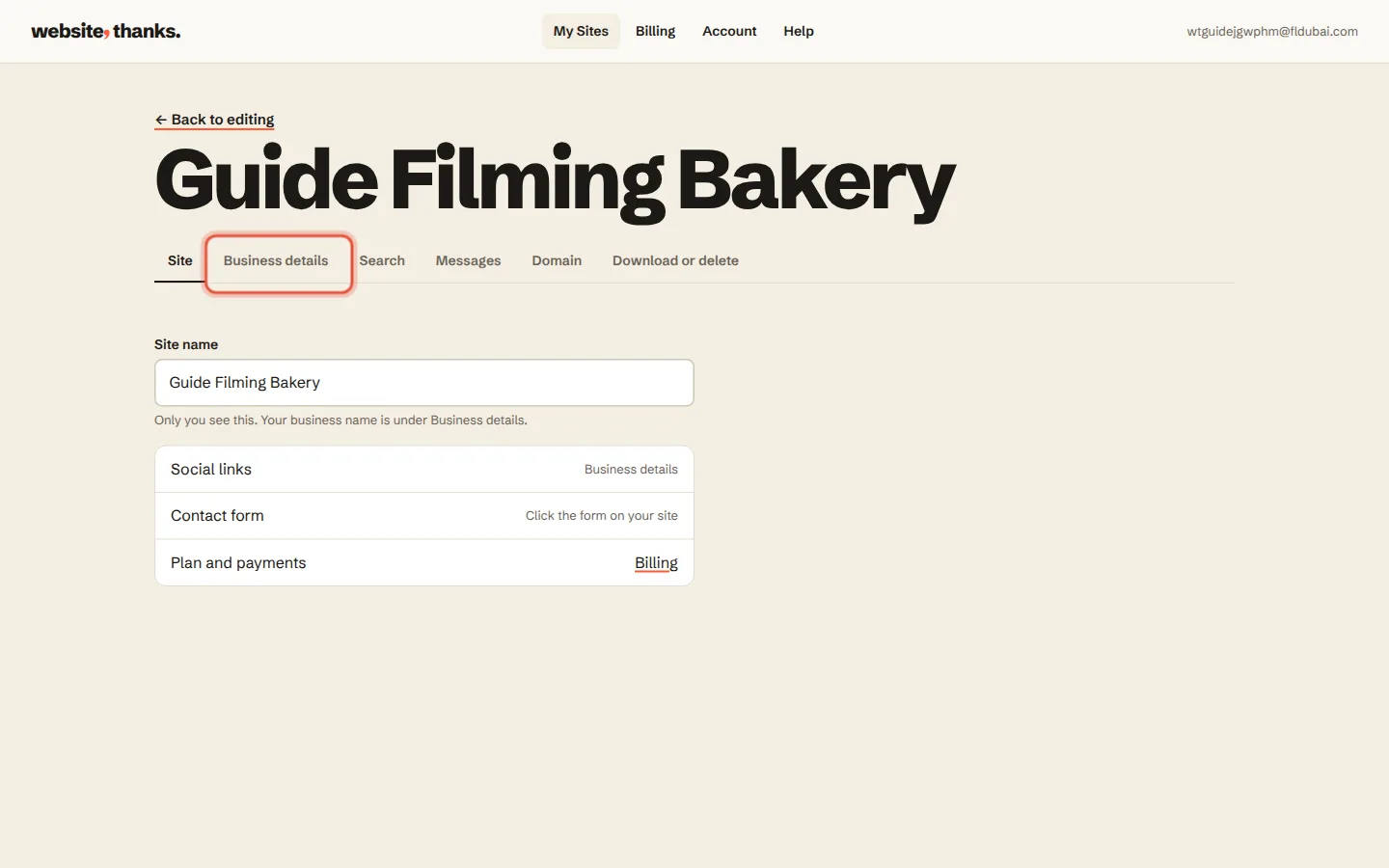
Click Business details.
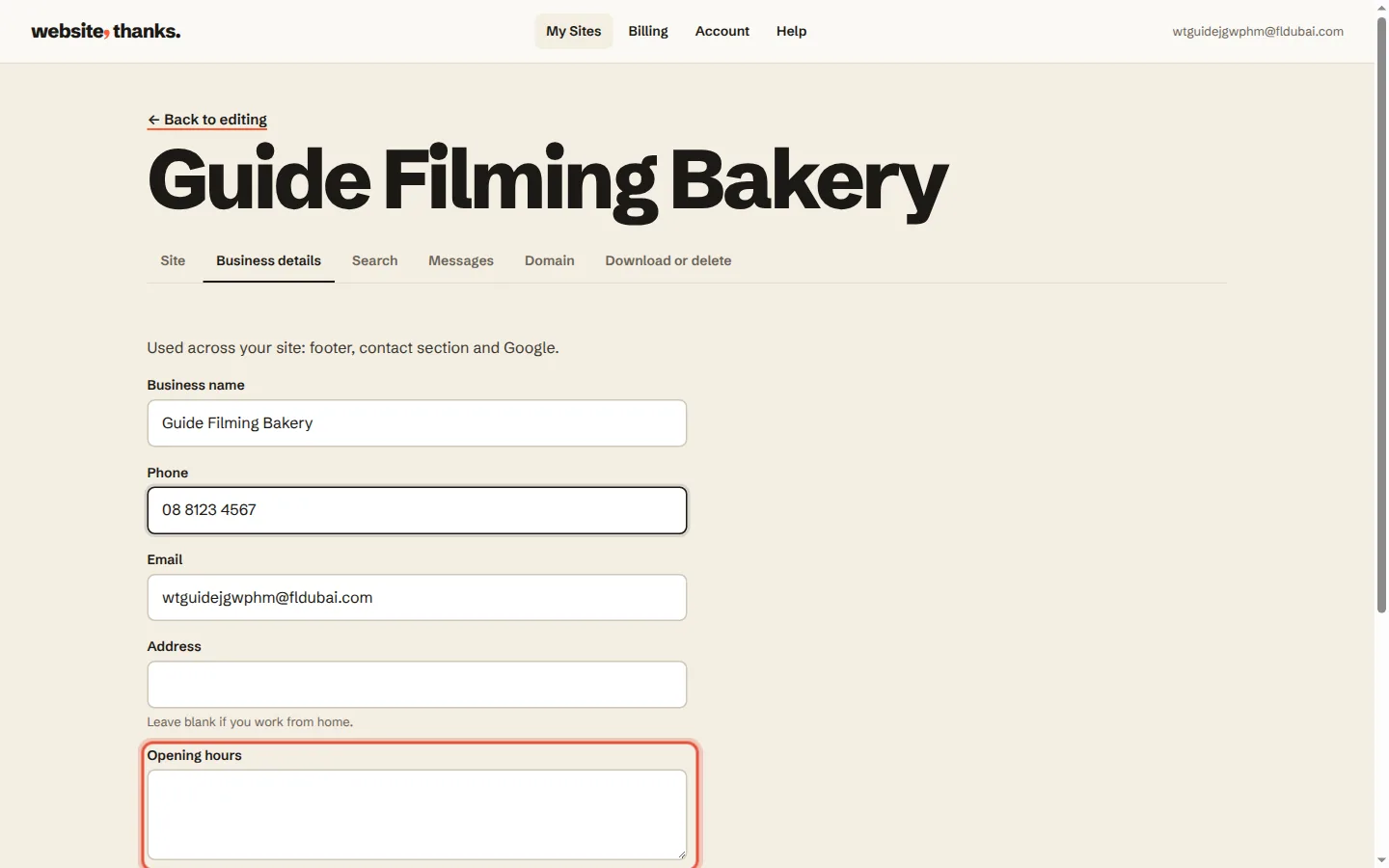
Change your phone number, email, address or opening hours. Each one saves when you move to the next box.
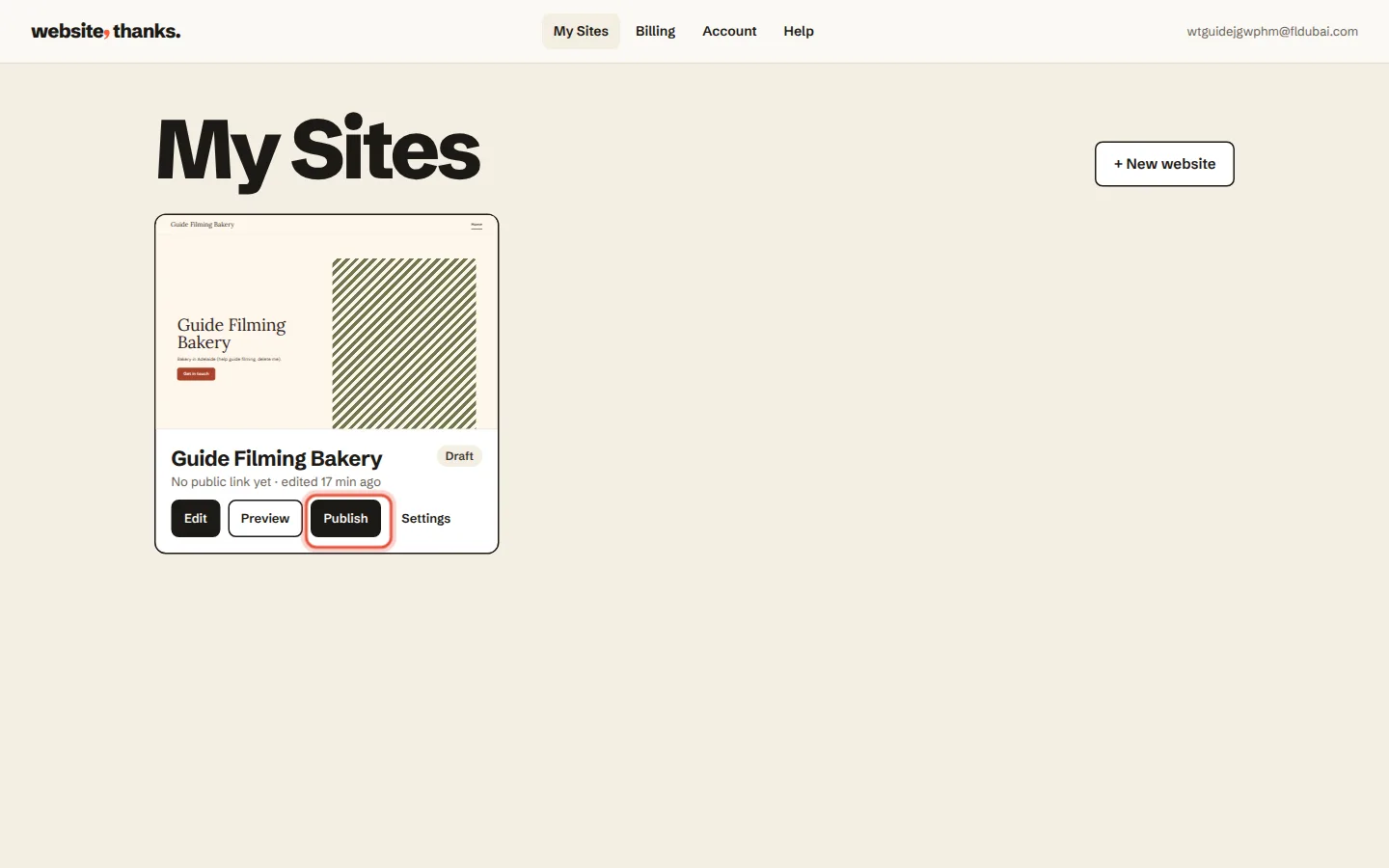
They update everywhere they show on your website: the footer, the contact section and Google. Open your website and click Publish to put the change live.
Was this helpful?