website thanks.
My SitesBillingAccountHelp
← Help/Words and photos

Add a price or a service

Takes about 2 minutes

Step by step

  1. Click the space around your list of services or prices, so the whole section is picked.
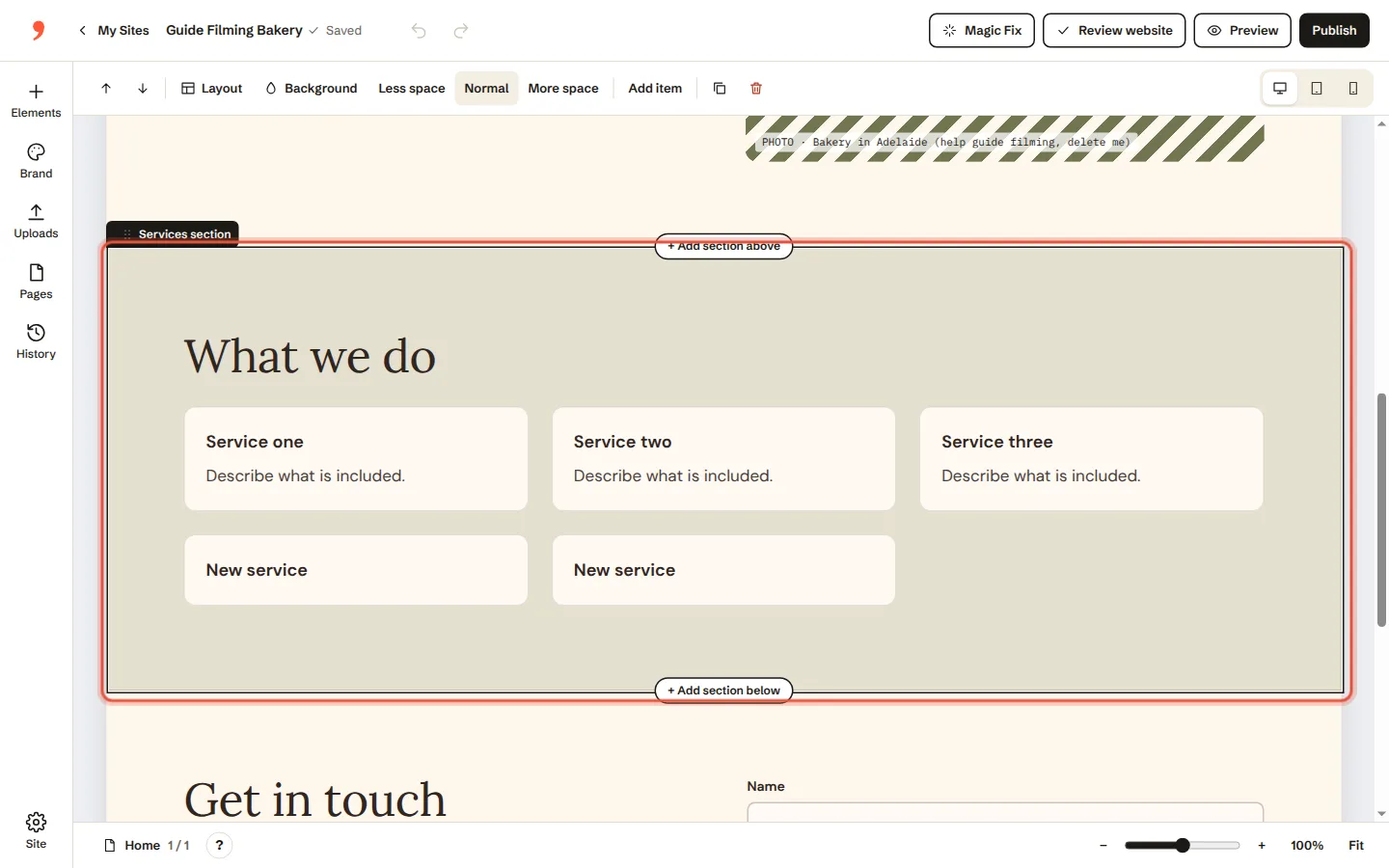
    Step 1: Click the space around your list of services or prices, so the whole section is picked.
  2. Click Add item to put a new one at the end.
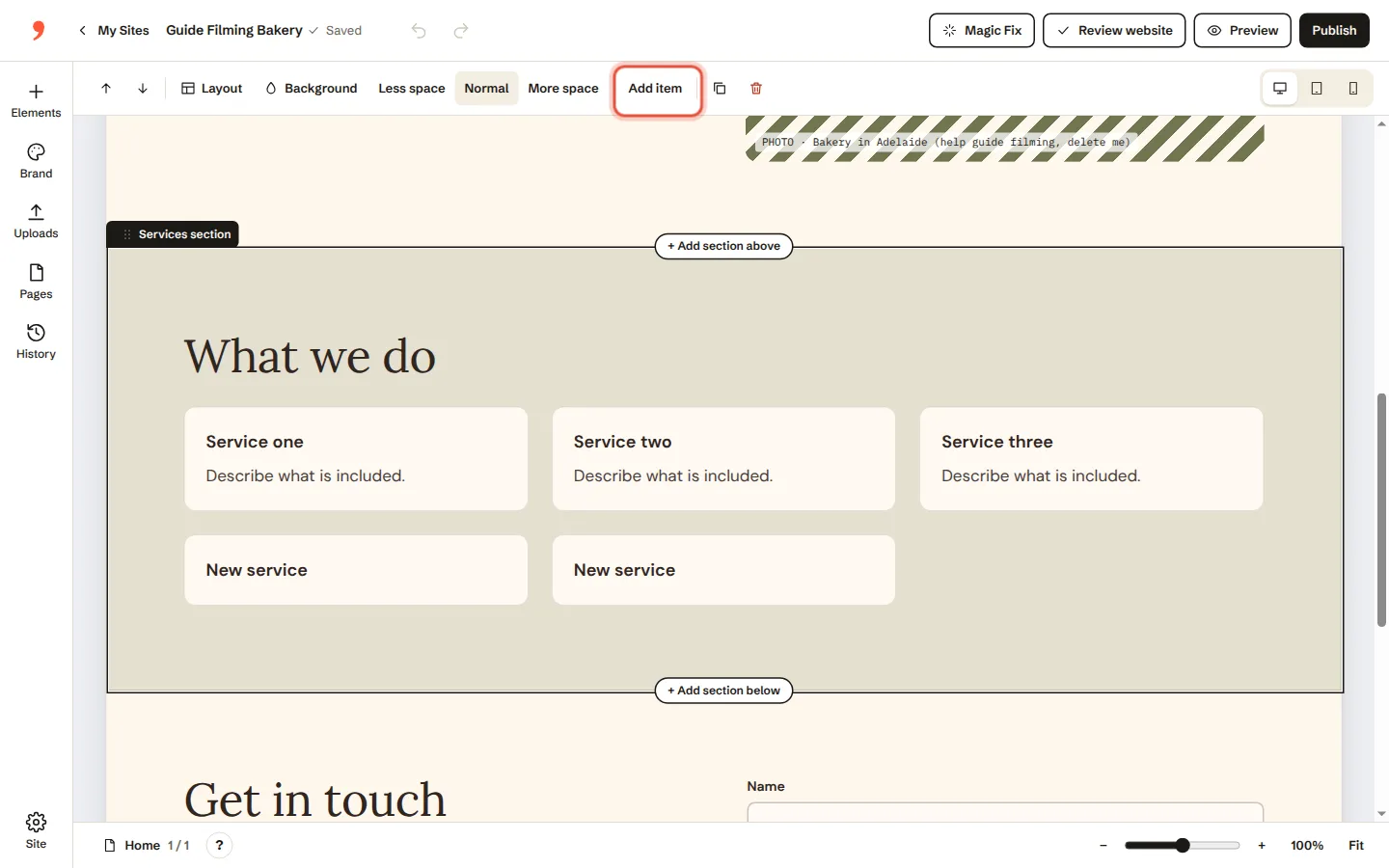
    Step 2: Click Add item to put a new one at the end.
  3. Type the name, a few words about it and the price.
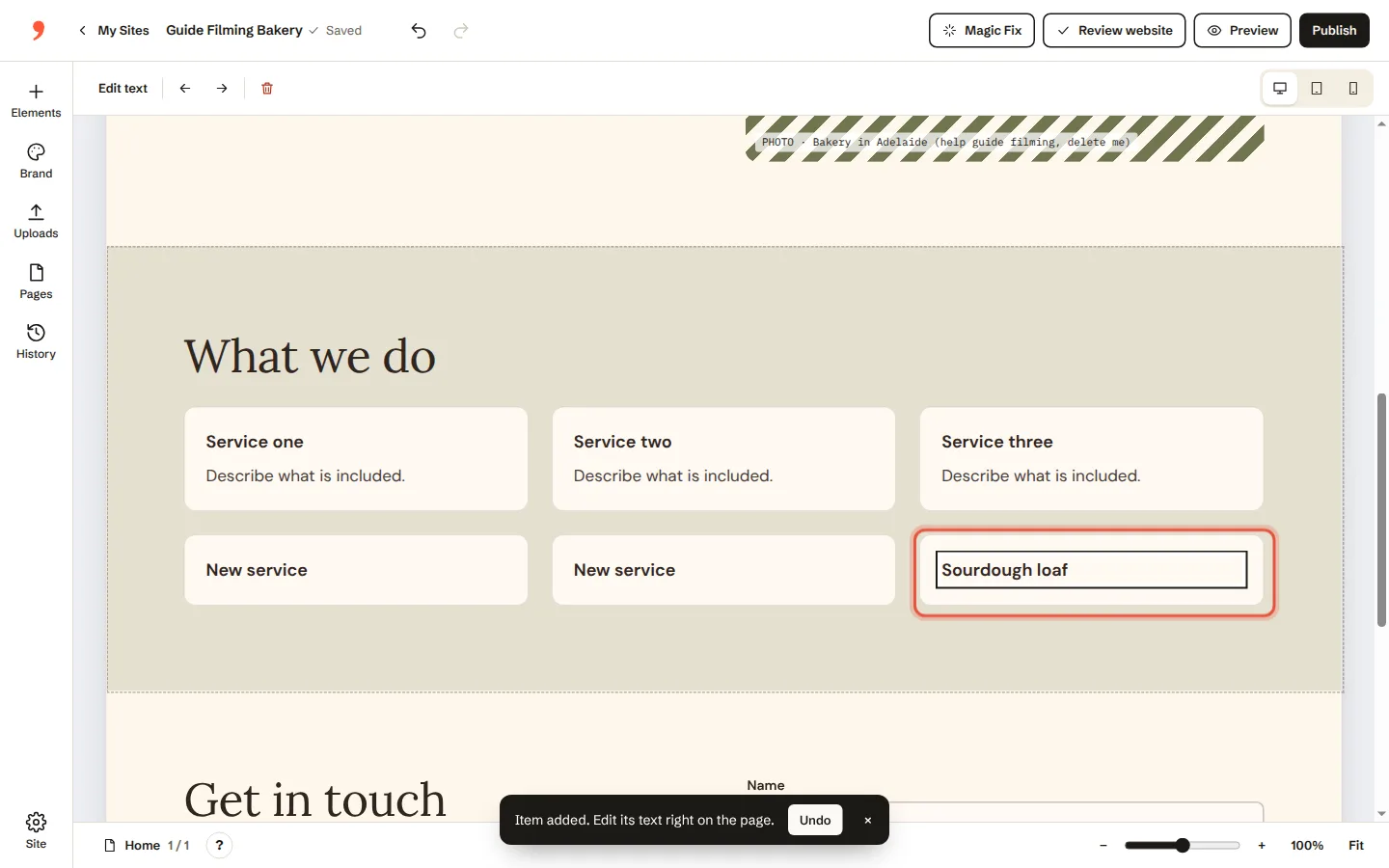
    Step 3: Type the name, a few words about it and the price.
  4. No list on your page yet? Click Elements on the left and pick one.
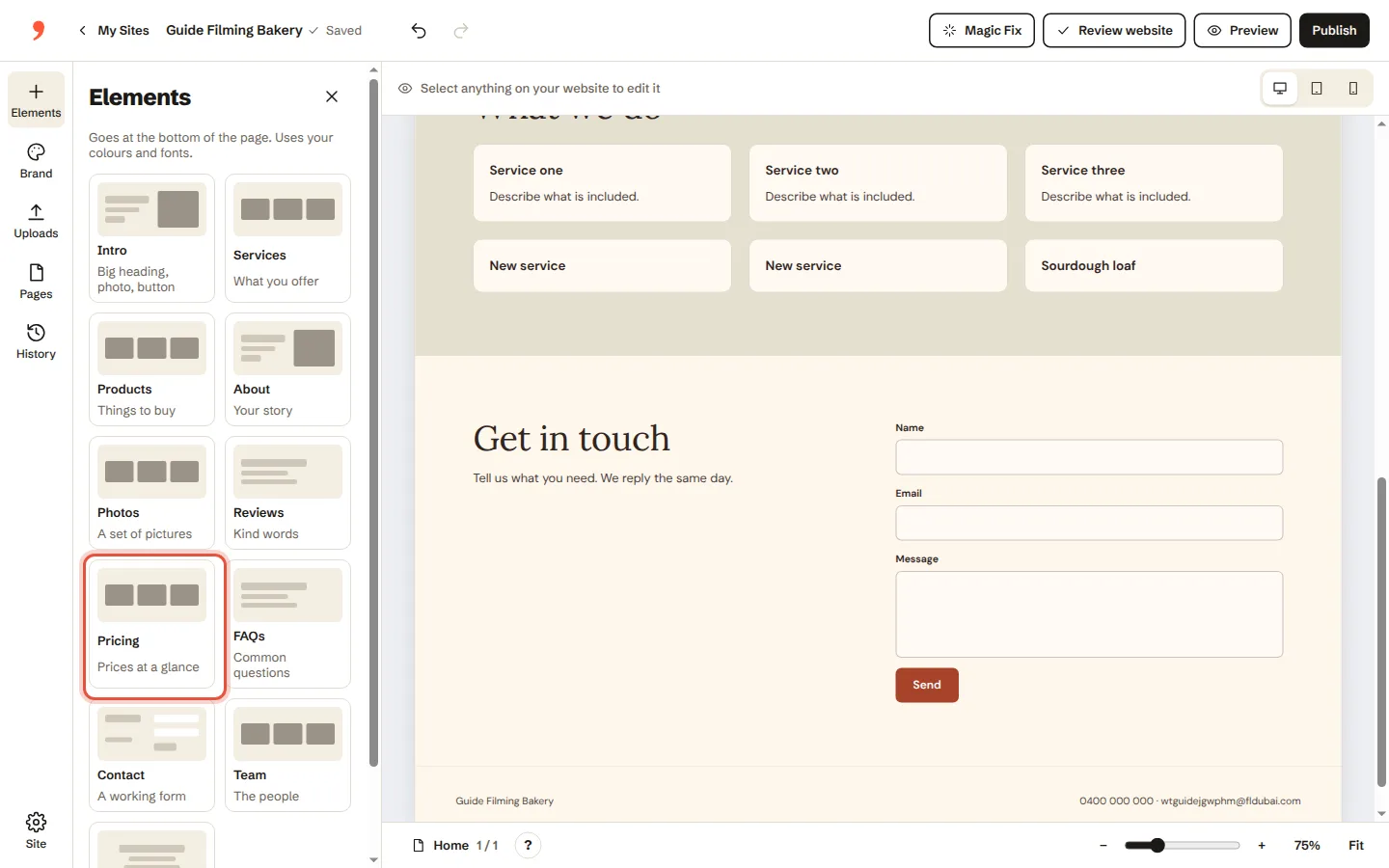
    Step 4: No list on your page yet? Click Elements on the left and pick one.
Was this helpful?

Related guides

Words and photosChange the words on a page→Words and photosSwap or add a photo; add your logo→Going liveAsk us for a change→

In this guide

  1. Click the space around your list of services or prices, so the whole section is picked
  2. Click Add item to put a new one at the end
  3. Type the name, a few words about it and the price
  4. No list on your page yet

Need a hand?

A real person within an hour, 9am to 2am, 7 days.

Or ask us to change it for you